Stop Chasing Five Schedules Every Morning
One calendar for everything your family juggles — every team, every school, every activity. Auto-synced. Conflict-detected.
Trusted by busy families juggling multiple schedules
No credit card required.
Paste a calendar link, or upload a PDF or photo of a schedule — we show you exactly what to do for each.
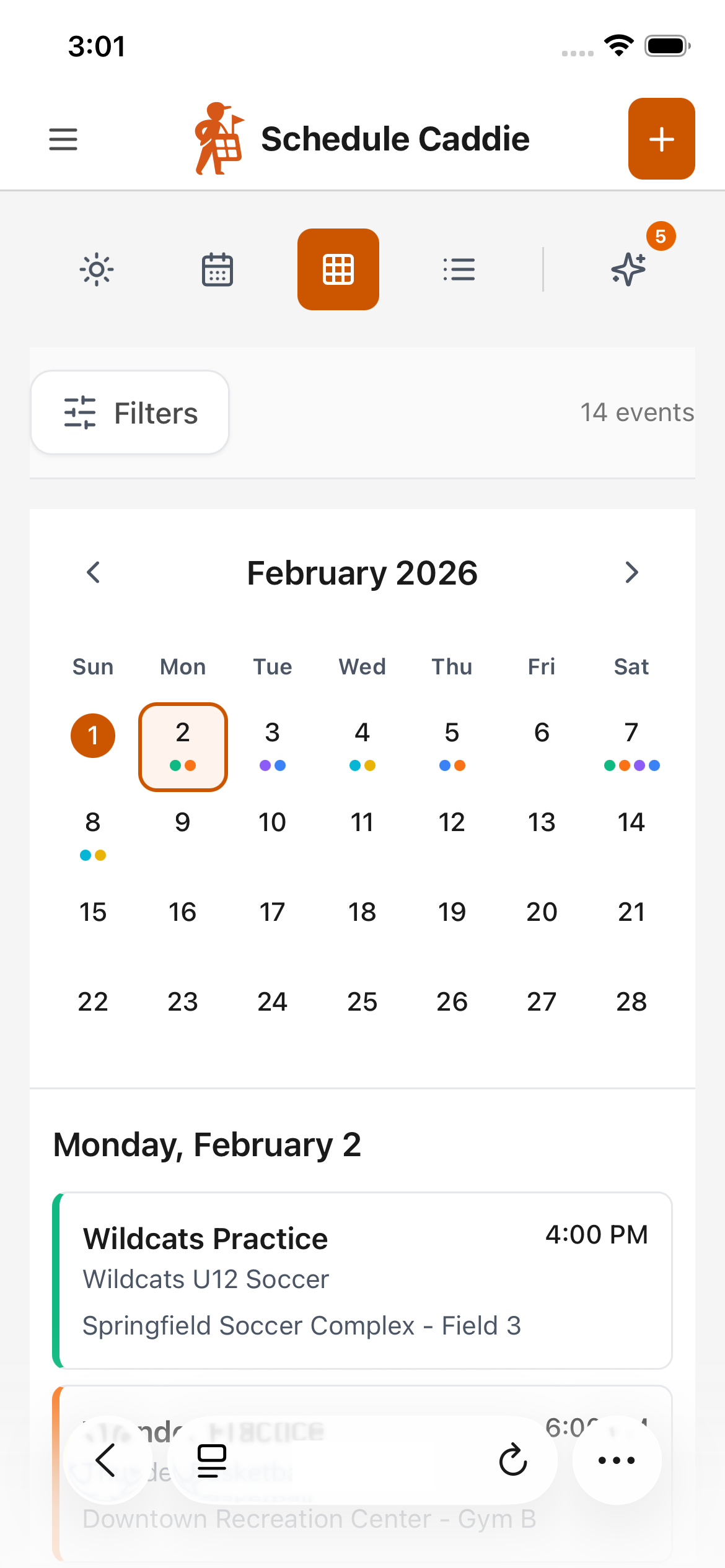
You're Drowning in Schedules
Two team apps. The school's PDF. The league's Google Sheet. A photo of the piano schedule stuck to the fridge.
You're opening TeamSnap for soccer, squinting at a PDF to figure out if Monday is a half day, and scrolling a league website to find out when the recital starts.
Every. Single. Morning.
Not one of them talks to the others. So you copy it all by hand, or keep a spreadsheet, just to see the week in one place.
Sound familiar?
I absolutely love Schedule Caddie! I gave my fiancé a link to the calendar I made for our son. It helps us keep all his different sports straight and not double-book him. … It’s a game-changer!
Instead of me doing mental gymnastics trying to keep all the schedules, in all the different apps, sorted out — I have everything all in one place and it is easy to share. We could even include the elementary school calendar that started as a print-out on our fridge! The weekly email outlining the week ahead is so helpful for me and my husband :)
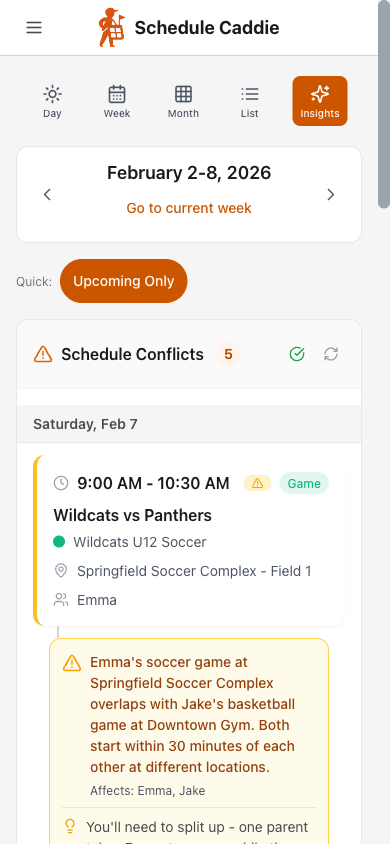
See Problems Coming
Two games at the same time? Back-to-back events 30 miles apart? Saturday with 4 events?
Our AI spots the disasters before they happen. You get a heads-up. Not a Saturday morning panic.
Every Sunday, by email
A digest of the week ahead with the conflicts already flagged
Anytime, on the Insights page
Open the app and check any week you're worried about
Overlapping Events
Two events at the same time
Tight Transitions
Not enough time between events
Busy Day Alerts
Days packed with multiple events
How Schedule Caddie Works
Bring every schedule in from wherever it lives. Start knowing where you need to be.
Every Schedule, Wherever It Lives
A team app like TeamSnap, SportsEngine, or GameChanger? Paste the calendar link. A school PDF, a photo of the paper on the fridge, a league website? Upload it and we read the dates out of it.
AI Sorts Your Schedules
Our AI detects schedule names, event types, and which kid each one belongs to. Confirm once, never think about it again.
One Calendar, Everything
Practices, games, school days off, piano. Color-coded by schedule. Filter by kid. Switch views instantly.
Stop Chasing Changes
Google Calendar refreshes subscribed feeds every 12-24 hours and won't notify you. Schedule Caddie checks the same feed every hour and emails you exactly what changed — before you drive to the wrong field.
Priority Rankings
Playoffs over practices. Mark important events so you know what matters when conflicts arise.
Custom Feeds for Your Calendar
Build one feed with everything, or several filtered ones — by kid, schedule, or event type. Subscribe in iPhone Calendar or Google Calendar. Send grandparents just the games, your co-parent just one kid. They need no account.
5 Minutes to Organized
Setup is fast. Benefits last all season.
Paste Your Feed Links
Find the "Export Calendar" button in TeamSnap (or whatever app your team uses). Copy the link. Paste it here. No link to copy? Upload the PDF, the spreadsheet, or a photo of the paper schedule instead. 2 minutes, max.
Review Before It Lands
AI names each schedule and suggests which kid it belongs to. You confirm. Done. Never again.
See Everything Together
Your unified calendar with everything. Color-coded. Conflict-detected. Actually know where you're supposed to be.
Works with wherever your schedules already live
Common Questions
What if my league doesn't use TeamSnap?
Schedule Caddie works with any platform that provides a calendar feed (ICS/iCal/webcal URL). Most team apps have an "Export to Calendar" option. If yours does, we can import it. And if it doesn't — or the schedule is a PDF, a printout, or a photo — upload that instead and we'll read the dates out of it.
How often does it sync?
Daily automatic refresh, plus on-demand manual refresh anytime. When changes are detected, they auto-apply to your calendar and you get an email notification. You can revert any change if needed.
Can I share with grandparents?
Yes! Create a custom feed filtered to just the events you want — by kid, schedule, or event type — and share the subscription link so it shows up directly in their calendar app. Or share a web view link for a quick look. No account needed either way.
What about the school calendar? It's just a PDF.
Upload the PDF — or just snap a photo of it. Our AI pulls out the no-school days, early releases, breaks, and conference nights, then shows you every date to review before anything lands on your calendar. Once it's in, it sits right next to practices and games. See how school calendars work.
Is my data safe?
We don't sell your data. Share links are unlisted (not indexed or discoverable). You control who sees what and can revoke access at any time.
Your Turn
Stop chasing schedules across apps, PDFs, spreadsheets, and the fridge. 5 minutes from now, you'll be organized.
Works on iPhone, Android, iPad, and computers.