Stop Juggling. Start Knowing.
Every feature is built around one goal: you shouldn't have to chase five different schedules — apps, PDFs, spreadsheets, a page stuck to the fridge — to know where your kid needs to be tomorrow.
Get StartedEvery Schedule, Wherever It Lives
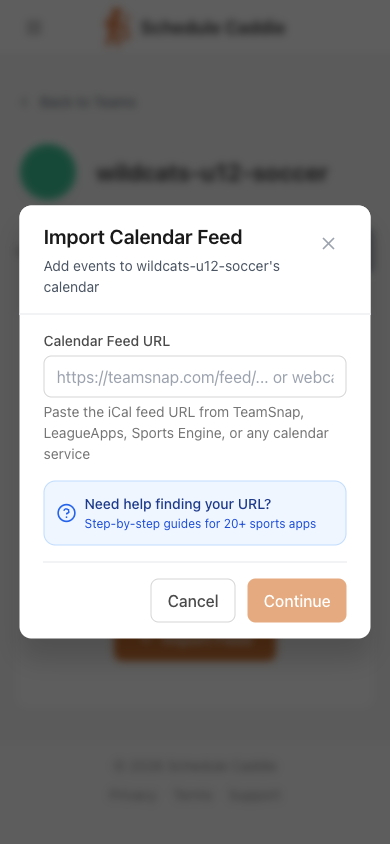
Team apps are only one of the places your family's schedules hide. TeamSnap, SportsEngine, LeagueApps, GameChanger, Crossbar — if it has an "Export Calendar" option, paste the link and we pull it in. The school's PDF, the league's spreadsheet, the recital list on a club website, the paper on the fridge? Upload it or photograph it and we read the dates out of it.
- Paste a link, upload a PDF, or snap a photo
- AI figures out which schedule is which
- Every source ends up on the same calendar
- Schedules refresh daily so you don't have to
Stop Chasing Schedule Changes
Google Calendar refreshes subscribed feeds every 12-24 hours and won't notify you. Schedule Caddie checks the same feed every hour and emails you exactly what changed.
Coach moved practice to Thursday? The district revised the school calendar? The change is already on your calendar, with an email telling you what moved — and one click to revert it. Your calendar shows you the game. It never tells you the game moved. That's the part we do.
The Schedule With No Feed Link
Districts publish the school year as a PDF — no feed, no link, nothing to subscribe to. Upload that PDF (or a photo of the one on your fridge) and our AI pulls out the no-school days, early releases, breaks, and conference nights. You review every date before it lands, then it sits on the same calendar as practices and games.
See Problems Coming
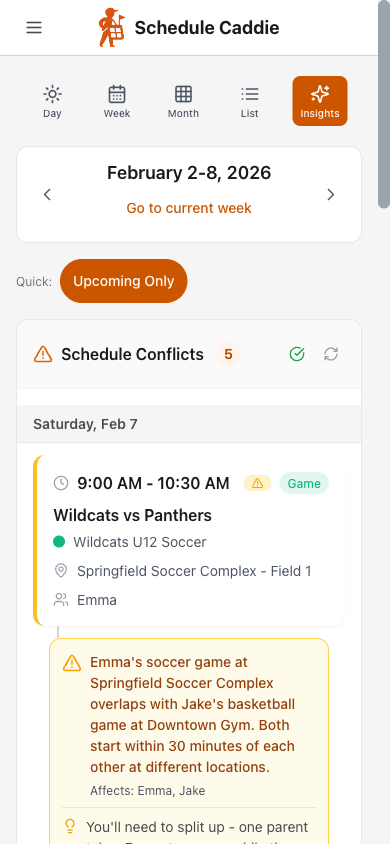
Two games at the same time? Back-to-back events across town? Saturday with four things scheduled? Our AI catches it so you don't find out in the car.
Pushed to you every Sunday
A weekly digest email of the week ahead, conflicts already flagged
Or pulled up any time
The Insights page in the app, for whatever week you're worried about
Overlapping Events
Two kids need to be in two places at once
Tight Transitions
30 minutes between events 20 miles apart
Busy Day Alerts
Saturdays with four events stacked up
One Calendar. Every Schedule.
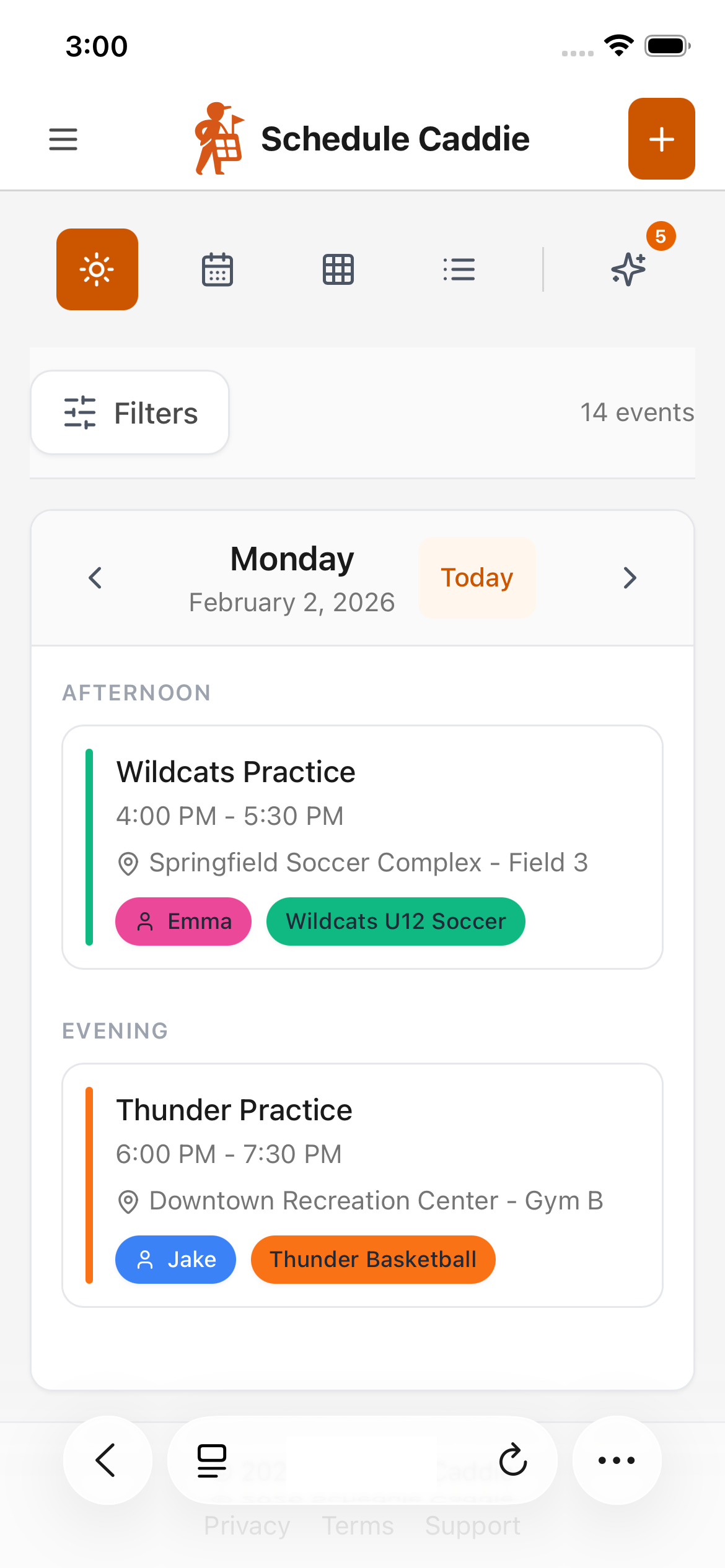
Every schedule, every kid, every event — practices, games, school days off, piano — color-coded and filterable. No more flipping between apps, PDFs, and the paper on the fridge to figure out your week.
See It Your Way
Day, week, month, or list view
Filter by Kid or Schedule
Show just what you need
Color-Coded
Know which schedule at a glance
One Feed, or One for Everybody
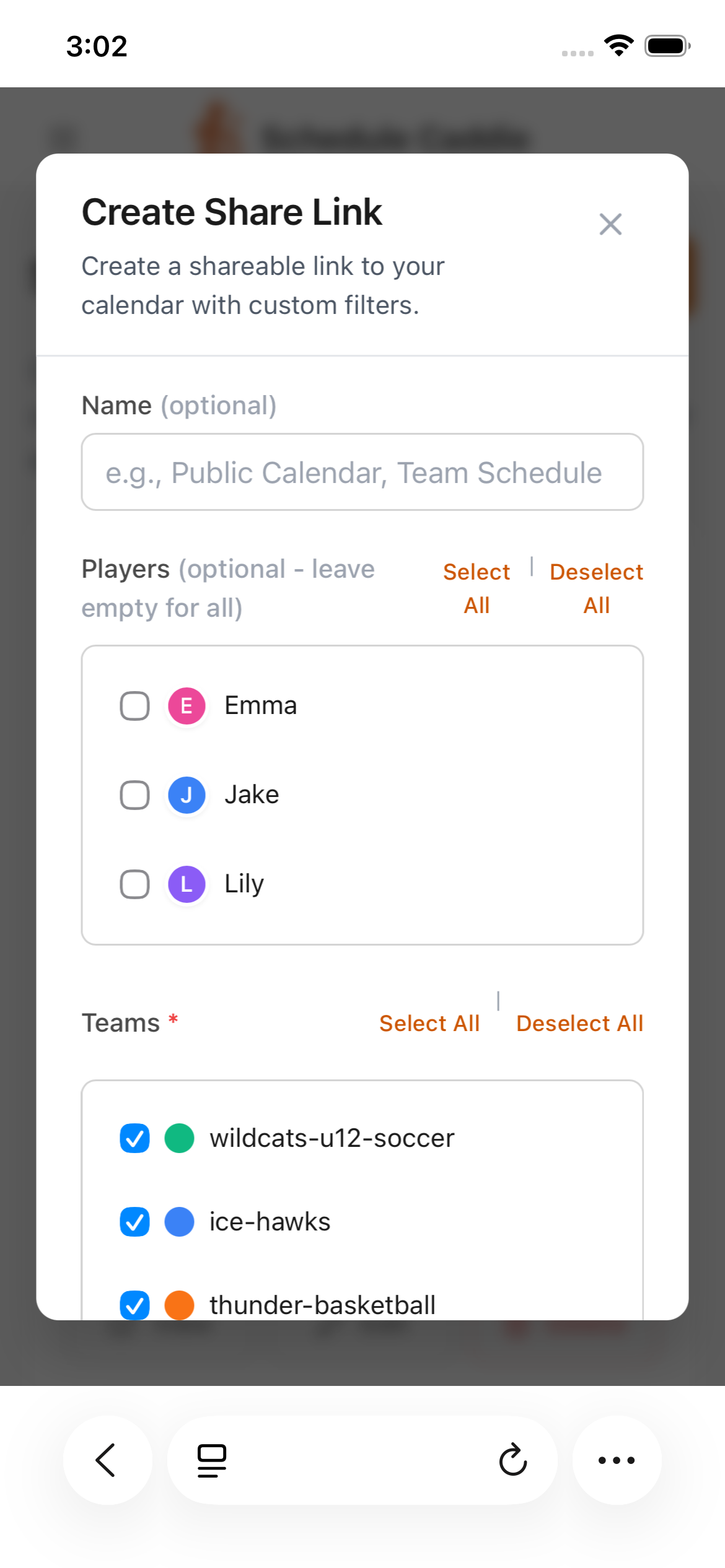
Make a single feed with the whole family on it — or as many filtered ones as you need, each cut by kid, schedule, or event type. Subscribe to yours in iPhone Calendar or Google Calendar so it stays current on its own. Then hand out the others: grandparents get games only, your co-parent gets one kid, the carpool gets Tuesday practices. No app download, no account, nothing for them to manage.
- One combined feed, or several filtered ones
- Filter by kid, schedule, or event type
- Subscribe in iPhone Calendar or Google Calendar
- Recipients need no account — and you can revoke anytime
Playoffs Over Practices
On sports schedules, not all events are created equal. Rank them so when two things overlap, you already know which one wins.
Must Attend
Playoff games, tournaments, tryouts
Regular
Weekly practices and regular season games
Skip If Needed
Optional practices, open skates, clinics
Create custom priorities with any name and color
Your Saturday Mornings Just Got Easier
Five minutes to set up. Organized for the rest of the season.