From Chaos to Organized in 5 Minutes
No complicated setup. No learning curve. Paste your team's calendar links, confirm a few things, and you're done. Here's how the Martinez family did it.
Start With Any Schedule — Link or PDF
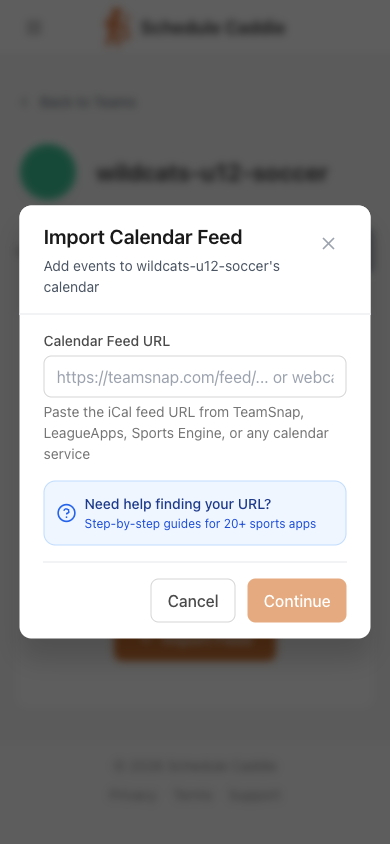
If it's a team app, go to TeamSnap (or whatever your team uses), find the "Export Calendar" button, and paste the link into Schedule Caddie. If it's the school calendar, upload the PDF instead. That's the whole setup — no accounts to configure, no forms to fill out first.
AI Does the Heavy Lifting
Detects team names, event types, and locations automatically
Works With Any Team App
TeamSnap, SportsEngine, LeagueApps, GameChanger, Crossbar — if it exports a calendar, we can import it
No link? Schools publish PDFs — upload it instead
The school year calendar never has a feed. Upload the PDF and we read the dates out of it. How school calendars work
Martinez family: Sarah grabs the TeamSnap link for soccer and the league website link for basketball. Both pasted in under a minute.
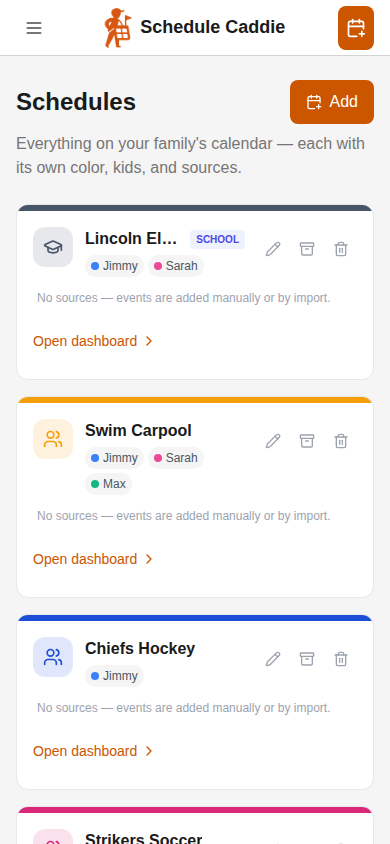
Your Schedules Name Themselves
We read the name right out of the schedule you added and set it up for you — you just confirm it (or rename it to whatever your family actually calls it). Repeat for each one, even when every schedule comes from somewhere different — an app, a PDF, a website. Each gets its own color.
Add Your Kids — If You Want
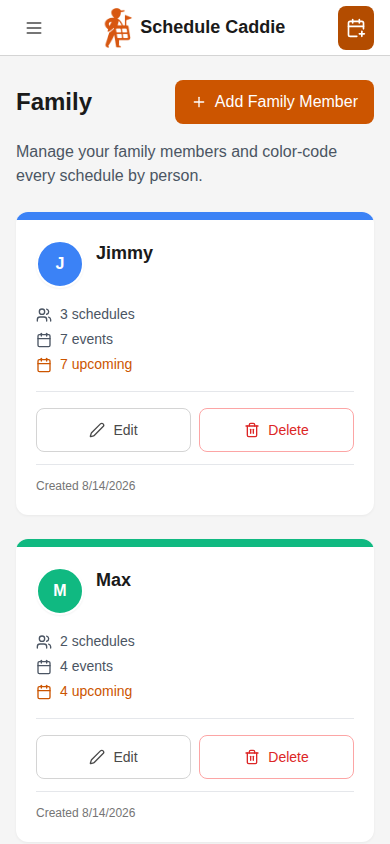
Got multiple kids? Add each one and link their schedules, so one glance at the calendar tells you whose event is whose. One kid (or it's your own schedule)? Skip this entirely — everything already works.
The Martinez family adds:
It Stays Up to Date — You Stay in Control
From here on, it's automatic. We check your schedules every hour, apply the changes, and tell you what changed. A coach moves practice? It's already on your calendar — with a notification, and one-click revert if anything ever looks wrong.
Martinez family: Tuesday's practice moves from 5pm to 6pm in TeamSnap. By the time Sarah checks her phone, Schedule Caddie has already updated the calendar and sent her a heads-up.
Finally, One Calendar
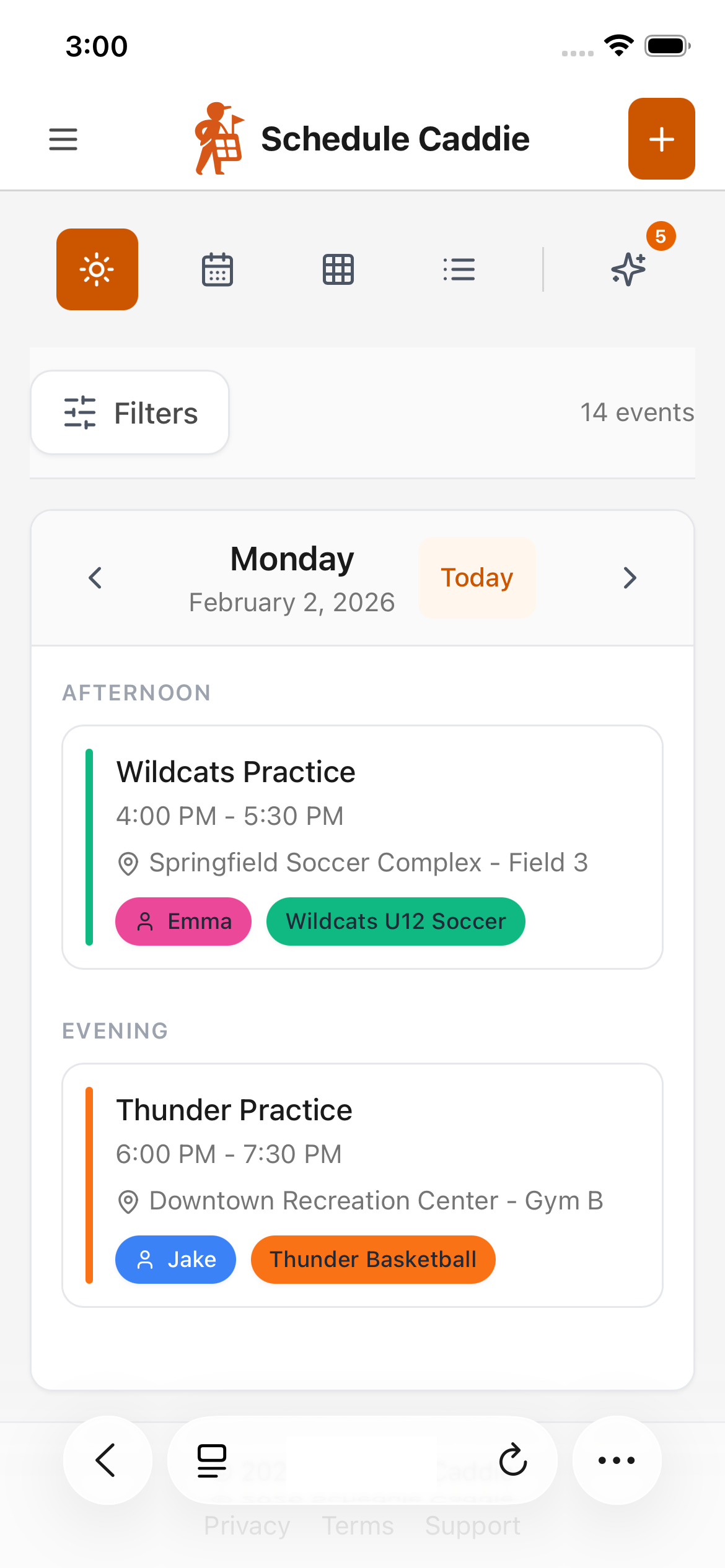
Every schedule, every kid, every event — practices, games, school days off, piano. Color-coded so you can tell what's what. Switch views depending on whether you're planning the week or checking tomorrow.
See It Your Way
Day, week, month, or list view
Color-Coded
Know which schedule at a glance
Filter by Kid or Schedule
Show just what you need
See Problems Before They Happen
Our AI looks at your whole family schedule and flags the things you'd normally discover at the worst possible moment.
Overlapping Events
Two kids need to be in two places at once
Tight Transitions
30 minutes between events 20 miles apart
Busy Day Alerts
Saturdays with four events stacked up
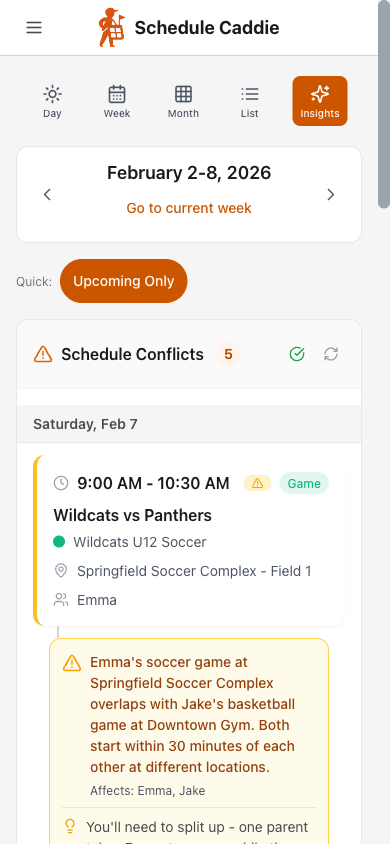
Martinez family: Saturday morning — Emma's soccer at 9 AM overlaps with Jake's basketball at 9:30 AM at different venues. Sarah sees it on Wednesday, not in the driveway.
Schedules Change. You'll Know.
Coaches reschedule. Games get moved. Districts revise the school calendar. Google Calendar refreshes subscribed feeds every 12-24 hours and won't notify you — we check the same feeds every hour, apply the change, and email you exactly what moved. No more checking five different places "just in case."
Daily Refresh
We check so you don't have to
Change Alerts
Know when something moves
Auto-Apply
Changes update your calendar instantly
Three weeks later: The soccer coach moves Saturday's game to 10 AM in TeamSnap. That night, Schedule Caddie catches the change, updates the calendar automatically, and sends Sarah an email. Done.
That's It. Seriously.
Five minutes from now, you could have every schedule your family juggles in one place.